Meter
Various styles of progress meter:
-
Meter
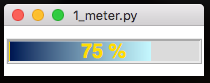
A simple meter for showing progress from 0% to 100%. -
SplitMeter
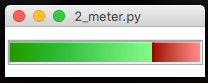
A possession style meter, showing percentages on either side. -
DualMeter
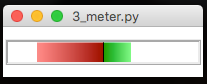
Two separate meters, expanding out from the middle.
from appJar import gui

app=gui()
app.addMeter("progress")
app.setMeterFill("progress", "blue")
app.go()
Add Meters
.addMeter(name)&.addSplitMeter(name)&.addDualMeter(name)
Adds a meter with the specified name, of the specified type..
Set Meters
-
.setMeter(name, value, text=None)
Changes the specified meter to the specified value.
ForMeter&SplitMetershould be a value between 0 and 100.
ForDualMetershould be a list of two values, each between 0 and 100. -
.setMeterFill(name, colour)
Changes the fill colour of the specified meter.
ForSplitMeter&DualMetershould be a list of two colours.
Get Meters
-
.getMeter(name)
Gets the value of the specified meter.
As meters convert their data to a value between 0 and 1, this will return a list of two values:(0.45, '45 %') -
.getAllMeters()
This will return the contents of all Meters in the app, as a dictionary.
Background Processing
Meters are designed to show progress over time.
One common solution is to register a function that is constantly updating a meter.
This should then be monitoring/updating a global variable:
def updateMeter():
    app.setMeter("progress", percentComplete)

# schedule function to be called regularly
app.registerEvent(updateMeter)